Flow · Automated POS data delivery
Get your business data wherever you need it.
Select the fields you want, grouped by data type. Flow works out which POS records to fetch and join, lets you filter using any related field, then delivers the finished report, feed or alert wherever it needs to go.
Fields grouped by data typeRelated records joined for youReports, feeds and alerts
Trusted in the real world





One product. Three dependable jobs.
Stop logging in, exporting, tidying and forwarding.
Set the job up once, then let Flow handle it on schedule instead of relying on someone to remember.
REPORT
Scheduled reports and exports
Send custom sales, finance, stock or staff data to the people who need it.
FEED
Files for other systems
Keep marketing, reporting and partner systems supplied with ready-to-use files.
WATCH
Useful alerts
Define what needs attention once. Flow checks and tells the right person.
Connected POS platforms
Choose your POS to see the available data, templates and signup route. Flow is available for Epos Now and Lightspeed Retail X-Series & R-Series merchants on all Lightspeed plans.


Relationship-aware by design
Pick the fields you need. Flow handles the relationships.
The field selector groups available fields by data type, so you can choose from transactions, customers, staff, locations, products and more. Flow follows the connections and brings the result together for you.
Choose output columns or filters from any connected data type. Flow fetches the right records and joins them without separate API work or spreadsheet lookups.
Every supported data typeTransactions are one example — Flow maps the available relationships across them all.
Reports & data feeds
Choose the columns. Flow builds the complete report.
Pick fields from transactions and any related data type. Flow fetches and joins the right records, applies your filters and delivers the same ready-to-use report on schedule.
- Find fields grouped by data type in one selector
- Filter using any related field, from location to supplier
- Control columns, headings, ordering and calculations
- Let Flow fetch and join the records automatically
 Live product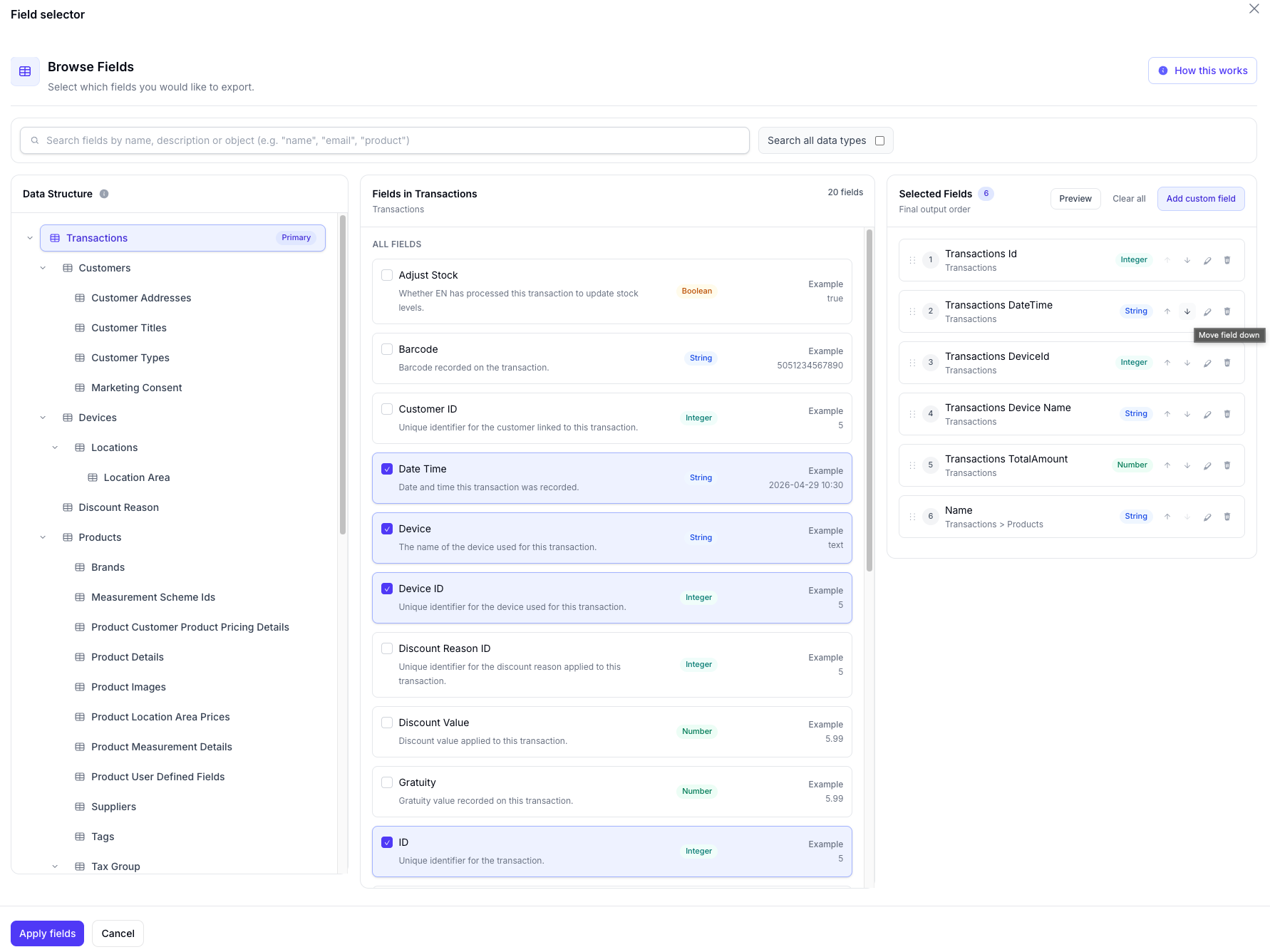
Alerts & monitoring
Catch problems before they become interruptions.
Tell Flow what matters once. It keeps checking your POS data and gives the right person the context to act.
- Check stock, sales, staff and missing information
- Narrow checks by supplier, brand, category or location
- Preview matches before the alert goes live
- Keep a history of what triggered and when
A precise rule becomes a clear notification with the context to respond.
Preview, history & control
Check the output before anyone relies on it.
Simulate a Flow against real data, inspect the result, then keep a visible history of every run and delivery.
- Preview matching records and the finished output
- Test filters, joins and calculated fields before scheduling
- See every export, its status and downloadable output
- Free simulated runs with real data
★★★★★
“Flow transformed how we manage our data—streamlining our processes, simplifying everything and cutting project management time in half.”Adam Brooks
Fulney Sand and Gravel
No more manual exports.
If you are exporting reports from your POS manually, then Flow can help you automate this and deliver the exports automatically.